Reqmango
Triage before backlog.
Self-hosted project management. An intake form collects requests, the triage queue proposes type, priority and likely duplicates, and you only decide the ones that are genuinely uncertain. Issues, cycles, pages and automation share one data model; AI is a layer inside that workflow rather than a separate console.
Your data stays on your machine.


English docs are partial
The knowledge base is written in Chinese and only the architecture pages have English versions so far. Untranslated pages fall back to Chinese; the switcher in the header shows where the gaps are. The README is a complete English overview.
Run it in 60 seconds
Published multi-arch images (linux/amd64, linux/arm64) are the fast path:
git clone https://github.com/vinthuy/reqmango.git
cd reqmango
cp .env.example .env
docker compose pull
docker compose up -d
Open http://localhost and sign in:
demo@example.com |
|
| Password | demo1234 |
For AI triage, set AI_API_KEY in .env and restart the backend.
Demo accounts are for local use only
SEED_DEMO=true creates sample accounts whose passwords are in the public repository. Any instance reachable from the internet must turn it off and follow the production checklist for SECRET_KEY, DB_PASSWORD and the administrator account.
The first boot can show a blank page while the frontend container starts. curl localhost/version tells you which build is actually running.
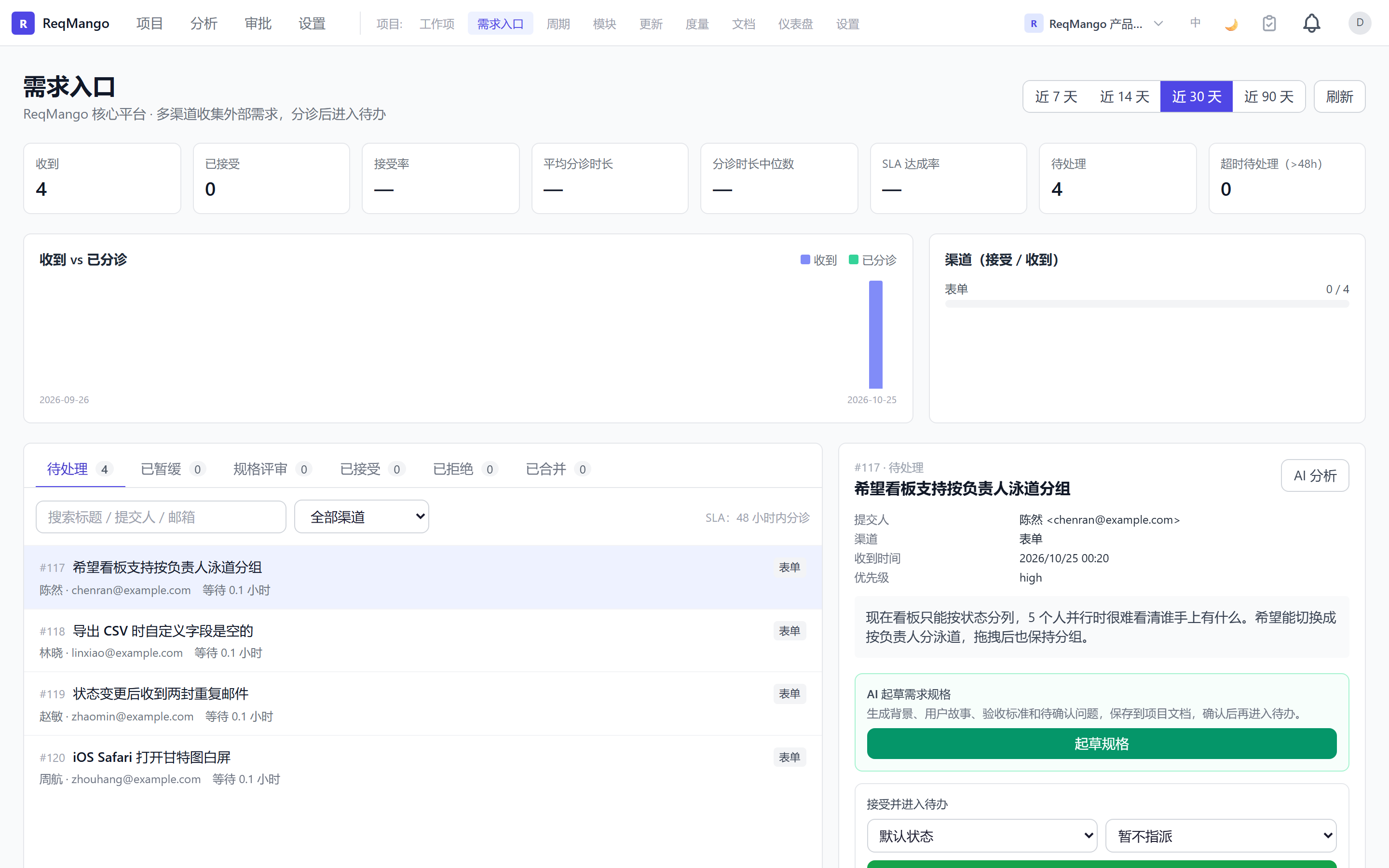
 Intake form — one public link collects requests from people who have no account |
 Issues — list, kanban, tree, calendar and gantt over the same filters |
 Issue detail — properties, relations, activity and the AI panel in one place |
 Cycles — sprints with scope, progress and what slipped |
 Analytics — priority mix, workload and completion over time |
 Workspace — several projects, one team, one login |
The screenshots show the Chinese UI; the app picks Chinese or English from the browser on first visit and the switcher is on every page.
What you get
| Area | Capability |
|---|---|
| AI inside the work loop | Intake triage, issue analysis, label suggestions, cycle summaries, Ask / Build copilot with preview before write |
| Work items | List and kanban, state transitions, hierarchy up to six levels |
| Custom fields and templates | Text, number, dropdown, boolean, date, member, URL; workspace type blueprints; project templates |
| Workflow and automation | Transitions, approvals, role gates; trigger → condition → action |
| Relations and search | Blocks / relates / duplicates; RQL and multi-field filters |
| Notifications and security | Unread counts; bluemonday XSS sanitising; JWT + RBAC |
| API | REST API, see the API reference |
AI sits on top of project management rather than replacing it. The daily path is issues, cycles, intake and pages.
Where to go next
- Put it on a server: production checklist — secrets, demo data off, TLS, backups
- Change a setting: configuration — every environment variable and its default
- Read the code: architecture overview — stack, layers, data model
- Integrate: API reference and API conventions
- Contribute: good first issues and the roadmap
Project
| Entry point | What it is |
|---|---|
| GitHub | International mirror; CI and releases run here |
| GitCode | Primary hub for Chinese contributors |
| Gitee | Read-only mirror, no CI |
| Releases | Versions and changelog |
| Security | Private reporting; never a public issue |
MIT licensed. Yours to host.